Deleting a Claim
Deleting a Claim
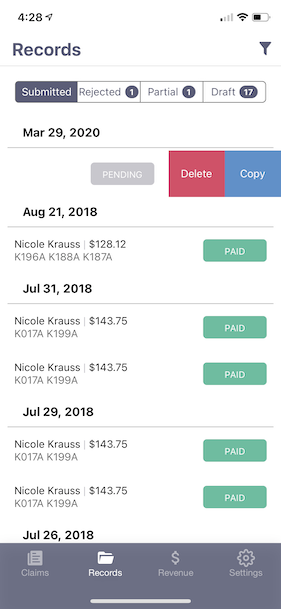
To delete a claim, if you've entered a duplicate by mistake, you go to the Records tab and swipe left on the claim. A red button will appear with the word "Delete". If you press on that button, the claim will be removed permanently from the system.
信息
Claims can only be deleted if they're in Pending or Draft Status.